

12 Best WordPress Form Plugins in 2026 – Complete Guide by ultraDevs
If you run a WordPress website, adding a form is essential for communication and lead generation. Whether visitors want to contact you, request a quote, subscribe to a newsletter, or register for a service, forms enable that interaction. Best WordPress Form Plugins in 2026 – Complete Guide by ultraDevs
At ultraDevs, we work with WordPress websites regularly and understand how important a reliable form builder plugin is. The right plugin helps website owners collect leads, manage customer inquiries, and improve user experience.
However, with so many plugins available, choosing the best one can be confusing. Some plugins focus on simplicity; others offer advanced features; still others are optimized for speed and marketing integrations.
In this guide created by ultraDevs, we will explore the best WordPress form plugins in 2026, compare their features, and help you choose the right one for your website.
Why WordPress Websites Need a Form Plugin
WordPress does not include a built-in form builder by default. Without a plugin, you would have to manually create forms using code, which is not practical for most website owners.
A good WordPress form plugin allows you to:
- Create contact forms easily
- Collect customer inquiries
- Generate business leads
- Accept payments and donations
- Create surveys and polls
- Build registration forms
- Protect forms from spam
Modern plugins include drag-and-drop builders, which means anyone can create professional forms without coding knowledge.
At ultraDevs, we often recommend using well-optimized form plugins because they improve both usability and marketing performance.
1. WPForms
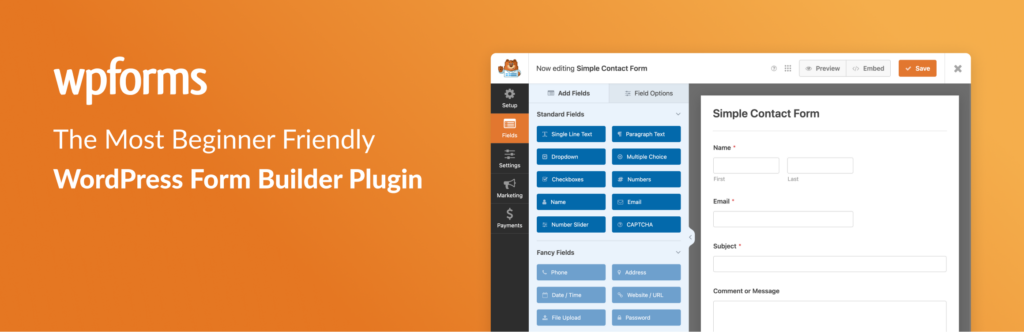
WPForms is one of the most popular WordPress form plugins used by millions of websites worldwide. It is widely known for its beginner-friendly interface and powerful features.
The plugin includes a drag-and-drop builder that allows users to create forms quickly without technical knowledge.
Key Features
- Drag and drop form builder
- Pre-built templates
- Email notifications
- Conditional logic
- Payment integrations (Stripe and PayPal)
- Spam protection
Pros
- Very beginner-friendly
- Free version available
- Fast form creation
- Good documentation
Cons
- Some advanced features require the paid version
Best for: Beginners, bloggers, and small business websites.
2. Contact Form 7

Contact Form 7 is one of the oldest and most widely used WordPress form plugins. It is completely free and lightweight.
Although it does not include a drag-and-drop builder, it still remains a popular option for developers and experienced users.
Key Features
- Unlimited forms
- Email notifications
- CAPTCHA spam protection
- Customizable fields
Pros
- Completely free
- Lightweight plugin
- Large community support
Cons
- Not beginner-friendly
- Requires some technical knowledge
Best for: Simple websites that only need a contact form.
3. Fluent Forms

Fluent Forms is a modern WordPress form plugin known for its speed and performance.
Many marketers prefer this plugin because it integrates with popular email marketing tools.
Key Features
- Drag-and-drop builder
- Multi-step forms
- Conditional logic
- Conversational forms
- Email marketing integrations
Pros
- Lightweight and fast
- Modern interface
- Good free version
Cons
- Some integrations require the Pro version
Best for: Bloggers, marketers, and high-performance websites.
4. Gravity Forms

Gravity Forms is a premium WordPress form plugin designed for advanced users and developers.
It offers powerful features that allow users to build complex forms and integrate them with other systems.
Key Features
- Advanced form fields
- Conditional logic
- File uploads
- Multi-page forms
- Payment integrations
Pros
- Highly customizable
- Developer friendly
- Large ecosystem of add-ons
Cons
- No free version
- Slight learning curve
Best for: Agencies, developers, and advanced websites.
5. Formidable Forms

Formidable Forms is another powerful WordPress form plugin that focuses on advanced functionality.
It allows users to build complex data-driven applications using forms.
Key Features
- Advanced form builder
- Data visualization
- Calculation fields
- Payment integrations
Pros
- Very powerful
- Ideal for complex forms
Cons
- Not beginner-friendly
Best for: Advanced websites and web applications.
6. Ninja Forms
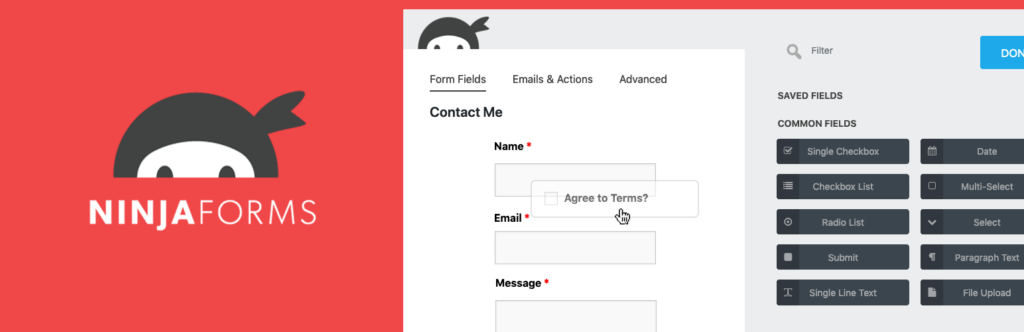
Ninja Forms is a flexible form builder plugin that uses a modular add-on system.
Users can start with the free version and add features as needed.
Key Features
- Drag-and-drop builder
- Multi-page forms
- Conditional logic
- CRM integrations
Pros
- Flexible customization
- Beginner friendly
Cons
- Many features require paid add-ons
Best for: Websites that need flexible customization.
7. Everest Forms
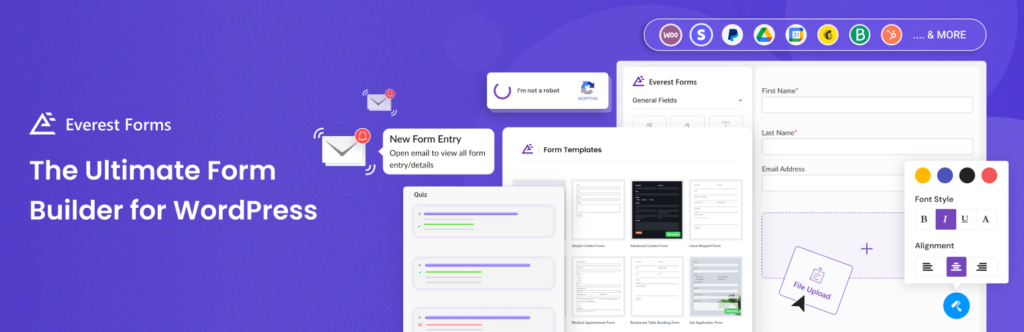
Everest Forms is a simple and lightweight form builder plugin that is easy to use.
It provides several templates that allow users to create different types of forms quickly.
Key Features
- Drag-and-drop builder
- Pre-built templates
- File uploads
- Email notifications
Pros
- Easy setup
- Free version available
Cons
- Limited advanced features
Best for: Beginners and small websites.
8. Forminator

Forminator is a powerful WordPress form plugin developed by WPMU DEV.
In addition to contact forms, users can create polls, quizzes, surveys, and payment forms.
Key Features
- Drag-and-drop builder
- Payment forms
- Polls and quizzes
- Conditional logic
Pros
- Powerful free features
- Modern interface
Cons
- Slightly complex for beginners
Best for: Marketing and interactive websites.
9. HubSpot Forms

HubSpot provides a WordPress plugin that includes a form builder connected to its CRM.
This makes it ideal for businesses focused on lead generation.
Key Features
- Built-in CRM
- Drag-and-drop builder
- Lead tracking
- Email marketing tools
Pros
- Strong marketing automation
- Free plan available
Cons
- Works best within the HubSpot ecosystem
Best for: Marketing and lead generation websites.
10. Jetpack Forms

Jetpack includes a built-in form feature that allows users to create simple contact forms.
Many websites already use Jetpack for security and performance, making this a convenient option.
Key Features
- Simple contact forms
- Email notifications
- Spam protection
Pros
- Easy to set up
- Integrated with Jetpack
Cons
- Limited customization
Best for: Simple websites.
11. HappyForms

HappyForms is a lightweight WordPress form plugin designed for speed and simplicity.
Key Features
- Drag-and-drop builder
- Live form preview
- Unlimited forms
Pros
- Easy to use
- Lightweight plugin
Cons
- Limited advanced features
Best for: Small blogs and beginner websites.
12. Kali Forms

Kali Forms is a modern WordPress form plugin that provides a fast interface and flexible form creation tools.
Key Features
- Drag-and-drop builder
- Multi-page forms
- Conditional logic
- Payment integrations
Pros
- Modern design
- Good performance
Cons
- Advanced features require a premium version
Best for: Modern business websites.
Comparison of the Best WordPress Form Plugins
| Plugin | Free Version | Best For |
|---|---|---|
| WPForms | Yes | Beginners |
| Contact Form 7 | Yes | Simple forms |
| Fluent Forms | Yes | Fast websites |
| Gravity Forms | No | Advanced users |
| Formidable Forms | Yes | Complex applications |
| Ninja Forms | Yes | Flexible customization |
| Everest Forms | Yes | Beginners |
| Forminator | Yes | Marketing forms |
| HubSpot Forms | Yes | Lead generation |
| Jetpack Forms | Yes | Simple contact forms |
| HappyForms | Yes | Lightweight forms |
| Kali Forms | Yes | Modern forms |
How to Choose the Best WordPress Form Plugin
Choosing the right form plugin depends on your website’s needs.
Choose WPForms if:
You want a beginner-friendly form builder.
Choose Contact Form 7 if:
You want a free, simple contact form.
Choose Fluent Forms if:
You want a fast and modern plugin.
Choose Gravity Forms if:
You need advanced functionality.
Choose HubSpot Forms if:
Your focus is marketing automation and lead generation.
At ultraDevs, we usually recommend choosing a plugin that balances performance, usability, and integrations.
SEO and Marketing Benefits of Forms
Forms are not only useful for communication but also powerful marketing tools.
Using forms on your website helps you:
- Generate leads
- Build email lists
- Collect customer feedback
- Increase conversions
- Improve user engagement
For example, you can create:
- Newsletter signup forms
- Lead capture forms
- Appointment booking forms
- Customer feedback forms
These forms help turn visitors into customers.
Frequently Asked Questions (FAQ)
What is the best free WordPress form plugin?
WPForms Lite and Contact Form 7 are among the best free WordPress form plugins available.
Can I create payment forms in WordPress?
Yes. Many form plugins, such as WPForms, Fluent Forms, and Gravity Forms, support payment integrations like PayPal and Stripe.
Do form plugins slow down websites?
Most modern form plugins are optimized for performance. Lightweight plugins such as Fluent Forms are designed to run very fast.
Do I need coding knowledge to create forms?
No. Most modern form plugins use drag-and-drop builders, allowing beginners to create forms without coding.
Conclusion
WordPress form plugins make it easy to create professional forms without coding knowledge.
Whether you want a simple contact form or a powerful lead generation system, there are many excellent options available.
At ultraDevs, we recommend choosing a plugin based on your website goals, performance requirements, and marketing strategy.
To summarize:
- WPForms – Best overall form plugin
- Contact Form 7 – Best free solution
- Fluent Forms – Best performance
- Gravity Forms – Best for advanced users
- HubSpot Forms – Best for marketing automation
Selecting the right plugin will improve your website communication, lead generation, and overall user experience.

Leave a Reply
You must be logged in to post a comment.