
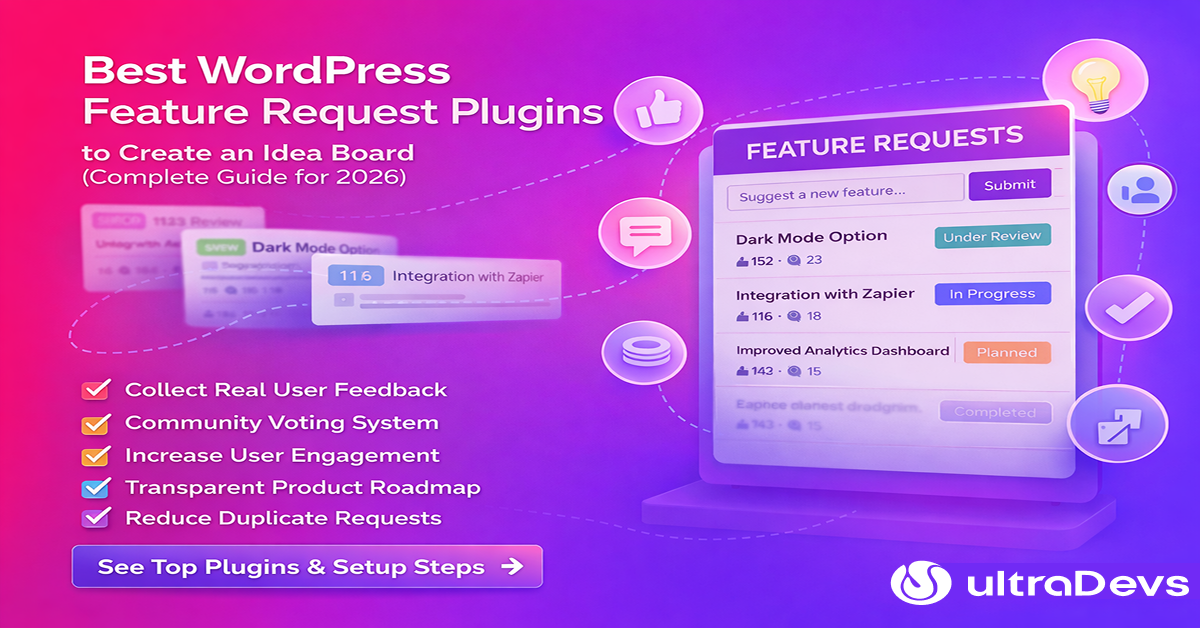
Best WordPress Feature Request Plugins to Create an Idea Board (Complete Guide for 2026)
If you run a WordPress website, SaaS product, plugin, or digital service, collecting user feedback is one of the most valuable ways to improve your product. One powerful method used by many successful companies is a feature request board where users can submit ideas, vote on features, and track progress. Instead of guessing what users want, a feature request system lets your community guide your development roadmap. In this guide from ultraDevs, we’ll explore the best WordPress feature request plugins that allow you to create a board-based idea system, similar to platforms like Canny or Upvoty.
Why Your Website Needs a Feature Request Board
Many developers and product owners rely on emails or support tickets for feedback. However, this approach often becomes messy and difficult to organize. A feature request board addresses this problem by providing users with a dedicated space to share ideas.
Benefits of a Feature Request System
1. Collect Real User Feedback
Users can suggest improvements based on real needs and problems.
2. Community Voting System
Visitors can vote on ideas, helping you identify the most requested features.
3. Increase User Engagement
When users see their ideas being discussed or implemented, they feel more connected to your product.
4. Transparent Product Roadmap
You can publicly show which features are planned, in progress, or completed.
5. Reduce Duplicate Requests
Instead of receiving the same request multiple times, users can simply vote on existing ideas. For SaaS platforms, WordPress plugins, and digital products, a feature request board is a game-changer for product development.
Best WordPress Feature Request Plugins
Below are some of the top plugins you can use to create a feature request board on WordPress.
1. Simple Feature Requests

Simple Feature Requests is one of the most widely used plugins for collecting feature ideas directly from your WordPress users.
Key Features
- Frontend feature submission form
- User voting system
- Comment discussions
- Admin moderation tools
- Feature status tracking
- Shortcode support for easy display
- You can organize ideas into categories and show users whether a feature is:
- Under Review
- Planned
- In Progress
- Completed
This plugin is perfect for WordPress plugin developers, SaaS startups, and product teams.
2. Boomerang – Feature Request Platform

Boomerang is a modern feature request plugin that focuses on providing a clean and interactive idea board.
Key Features
- Multiple feature request boards
- Voting and ranking system
- Custom feature status labels
- AJAX filtering and sorting
- Gutenberg block integration
Boomerang makes it easy for users to submit ideas, vote, and track development progress. If you want a modern UI for your feature request board, this plugin is a strong choice.
3. JE Request Block

If you prefer a lightweight solution, JE Request Block is a simple but effective option.
Key Features
- Gutenberg block support
- Upvote system
- Feature request cards
- Status labels and tags
- Sorting by votes or date
This plugin is great for small websites or early-stage products that want a simple feedback system
4. WP Roadmap
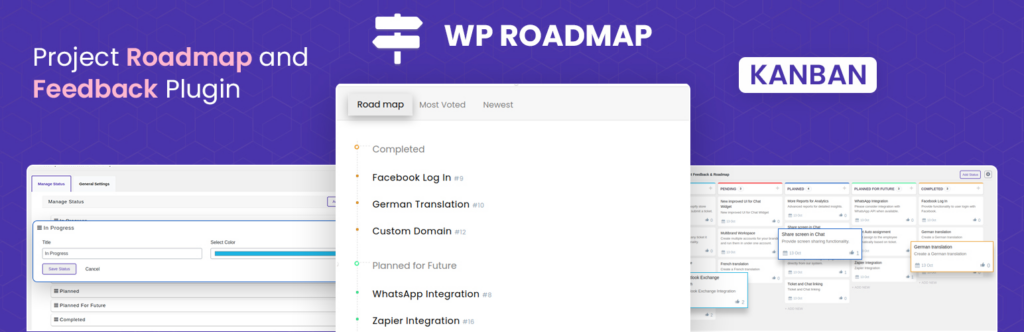
WP Roadmap focuses on creating a public product roadmap for your WordPress project.
Key Features
- Public roadmap board
- Feature status updates
- Elementor widget support
- Shortcode integration
- Clean roadmap layout
This plugin is particularly useful for SaaS products and WordPress plugin developers who want to show their development plans publicly.
How to Create a Feature Request Board in WordPress
Setting up a feature request board is easier than you might think.
Step 1: Install a Feature Request Plugin
- From your WordPress dashboard:
- Go to Plugins → Add New
- Search for your preferred plugin
- Install and activate it
Step 2: Create a Feature Request Page
Create a new page, such as:
- Feature Requests
- Product Ideas
- Suggest a Feature
Then add the plugin shortcode or Gutenberg block.
Step 3: Allow User Submissions
Enable frontend submissions so users can submit feature ideas without accessing the WordPress dashboard.
Step 4: Enable Voting
Voting allows your community to decide which features are most important. This helps developers focus on high-impact features first.
Step 5: Update Feature Status
Regularly update the feature status:
- Planned
- Under Development
- Completed
This builds trust and transparency with your users.
Best Practices for Managing Feature Requests
Running a feature request board effectively requires some moderation and organization.
Encourage Clear Suggestions
- Ask users to provide detailed descriptions of their ideas.
Merge Duplicate Requests
- Sometimes multiple users request the same feature. Merge them to keep the board organized.
Communicate With Your Community
- Respond to feature suggestions and explain your decisions.
- Users appreciate transparency.
Prioritize High-Value Features
- Features with many votes usually represent the biggest demand.
Final Thoughts
A feature request board is one of the best ways to involve your users in product development.
Instead of guessing what your audience wants, you can build features that are validated by real demand.
Plugins like:
- Simple Feature Requests
- Boomerang
- JE Request Block
- WP Roadmap
Make it easy to add this system to your WordPress website.
If you run a plugin, SaaS product, or development platform, implementing a feature request board will help you build better products and stronger communities.
Frequently Asked Questions (FAQ)
What is a feature request board?
A feature request board is a platform where users can submit ideas, vote on features, and track product updates.
Can WordPress users vote on features?
Yes. Many feature request plugins allow users to vote, comment, and discuss ideas.
Is a feature request board good for SaaS products?
Yes. Many SaaS companies use idea boards to prioritize development based on user demand.
Do I need coding skills to create one?
No. Most WordPress feature request plugins can be installed and configured without coding
