

10+ Best WordPress Accessibility Plugins
10 Best WordPress Accessibility Plugins. Accessibility isn’t just about supporting users with disabilities—it also enhances the overall experience for every visitor on your website. At ultraDevs, we believe that digital inclusivity is no longer optional but a core part of modern web development. As accessibility continues to gain importance, implementing the right features has become a best practice for building user-friendly websites.
WordPress, as one of the most widely used content management systems, offers a variety of plugins that make improving accessibility simple and efficient. In this article, ultraDevs highlights some of the best WordPress accessibility plugins to help you create a more inclusive, user-friendly, and standards-compliant website. Whether you’re a developer or a business owner, these tools provide practical and effective solutions to enhance accessibility and usability.
What Are Accessibility Plugins?
Accessibility plugins are tools that make websites easier to use for people with different abilities and needs. They enhance overall inclusivity by removing barriers that may prevent users with disabilities from accessing content.
For WordPress websites, these plugins act as add-ons that integrate seamlessly to improve web accessibility. They typically include features such as keyboard navigation, color-contrast adjustments, and font-size customization.
The primary goal of these tools is to ensure that everyone can interact with online content comfortably and efficiently, helping create a more inclusive and user-friendly web experience for all visitors.
Benefits of Accessibility Plugins
Accessibility plugins for WordPress offer a wide range of benefits, contributing to a more inclusive and user-friendly online experience.
Here are some key benefits and advantages:
- Inclusivity: Accessibility plugins enable all users, including those with disabilities, to access and interact with your website, helping you reach a wider audience.
- Compliance with Standards: These plugins align with accessibility guidelines such as WCAG, helping you meet legal requirements while maintaining an accessible website.
- Improved User Experience: Features like alt text, keyboard navigation, and adjustable fonts enhance usability and make browsing easier for all users.
- SEO Benefits: Accessibility enhancements, such as descriptive alt text, can improve your website’s visibility and search engine rankings.
- Broader Audience Reach: By addressing diverse user needs, these plugins allow your site to connect with a larger and more inclusive audience.
- Enhanced Reputation: Prioritizing accessibility builds trust and strengthens your brand’s credibility and public image.
- Legal Compliance: Accessibility plugins help meet legal standards, reducing the risk of lawsuits or compliance issues.
- Future-Proofing: These tools help prepare your website for evolving technologies and regulations, saving time and effort in the long run.
- Adaptability: Customizable features allow you to tailor accessibility settings based on your website’s specific requirements.
The use of accessibility plugins for WordPress goes beyond simple compliance—it plays a vital role in creating a more accessible, user-friendly, and socially responsible digital environment.
Best Accessibility Plugins for WordPress
Now that you understand what accessibility plugins are, it’s time to explore some of the best options available in the market. Let’s take a closer look at these plugins, along with their unique features and how they function in real-world environments.
1. One Click Accessibility
One Click Accessibility is a simple and efficient WordPress plugin that enhances website accessibility with minimal effort. It helps resolve common accessibility issues without requiring major changes to your site’s content.
The plugin comes with a range of practical features and is easy to use, even for those without technical expertise. Its quick setup process makes it a suitable choice for any website owner. Without the need for professional assistance, it stands out as a reliable option for improving accessibility while keeping everything straightforward and efficient.
Key Features
- Accessibility Toolbar: Provides a dedicated toolbar with multiple accessibility options.
- Keyboard Navigation: Improves navigation through keyboard shortcuts.
- Skip Links: Allows users to jump directly to the main content.
- Contrast Toggle: Enables high-contrast mode for better readability.
- Font Size Adjustment: Let users adjust text size easily.
- ARIA Landmark Roles: Enhances navigation for screen reader users.
- Focus Management: Controls focus behavior to improve usability.
- Easy Integration: Simple to install and integrate with WordPress.
Pros:
- Quick and easy setup.
- Improves overall accessibility.
- Free to use.
- No coding required.
- Works well with most themes.
Cons:
- Offers only basic features compared to premium plugins.
- Limited customization capabilities.
- May not fully comply with all WCAG guidelines.
- Lacks advanced accessibility functionalities.

2. WP Accessibility Tools & Missing Alt Text Finder
WP Accessibility Tools & Missing Alt Text Finder is a useful WordPress plugin that focuses on improving image accessibility by identifying missing or incomplete alt text across your website. It helps ensure that all images are properly described, making your content more accessible to screen reader users. Image accessibility and content optimization
The plugin scans your media library and content to detect images without alt attributes, allowing you to fix them quickly. This not only improves accessibility but also enhances your website’s SEO performance.
With its focused functionality and easy-to-use interface, it is an excellent choice for website owners who want to optimize both accessibility and search visibility.
Key Features
- Alt Text Scanner: Detects images without alt attributes.
- Bulk Editing: Allows updating multiple image alt texts at once.
- Media Library Integration: Works directly within the WordPress media library.
- Accessibility Insights: Provides suggestions to improve image accessibility.
- SEO Improvement: Helps optimize images for better search rankings.
- User-Friendly Dashboard: Simple interface for easy navigation.
- Real-Time Detection: Identifies issues instantly.
- Lightweight Design: Does not affect site performance.
Pros:
- Improves image accessibility effectively.
- Helps boost SEO performance.
- Easy to use for beginners.
- Saves time with bulk editing.
- Lightweight and fast.
Cons:
- Focused mainly on images only.
- Limited overall accessibility features.
- May require manual input for best results.
- Not a complete accessibility solution.
.

3. WP Accessibility
WP Accessibility is a lightweight WordPress plugin designed to address common accessibility issues found in themes. While it may not make your website fully compliant with all standards, it introduces several useful features with minimal setup and no requirement for advanced technical knowledge.
One of its key strengths is flexibility—you can easily enable or disable specific features depending on your theme’s requirements, ensuring smooth integration without unnecessary modifications. For more advanced users, the plugin also supports custom stylesheet adjustments, allowing greater control and a more tailored approach to improving website accessibility.
Key Features
- Skip Links: Adds links that allow users to skip navigation menus quickly.
- Image Alt Attributes: Ensures images include descriptive alt text for better accessibility.
- Title Attributes: Adds title attributes to links for improved clarity.
- Color Contrast Checker: Evaluates and enhances color contrast for better readability.
- ARIA Roles: Implements ARIA roles to support assistive technologies.
- Keyboard Navigation Enhancements: Improves usability through keyboard-based navigation.
- Focus Management: Controls focus behavior to assist screen reader users.
- Accessibility Reports: Generates reports to help identify accessibility issues.
Pros:
- Offers a wide range of accessibility features.
- Regular updates and active support.
- Enhances overall website usability.
- Completely free to use.
- Works with most WordPress themes.
Cons:
- Offers a wide range of accessibility features.
- Regular updates and active support.
- Enhances overall website usability.
- Completely free to use.
- Works with most WordPress themes.

4. Accessibility by UserWay
Web accessibility can often feel complex, especially for those who are not familiar with compliance standards and technical requirements. To simplify this process and improve accessibility for all users, UserWay provides a powerful Accessibility Widget specifically built for WordPress websites.
This widget not only enhances the overall user experience but also helps ensure compliance with major accessibility standards such as WCAG 2.1, ATAG 2.0, European EN 301 549, ADA, and Section 508. By integrating UserWay’s Accessibility Widget, website owners can proactively identify and address potential accessibility issues, creating a more inclusive browsing experience.
Key Features
- Accessibility Widget: Adds a floating widget with multiple accessibility options.
- Keyboard Navigation: Improves navigation using keyboard shortcuts.
- Contrast Toggle: Enables high-contrast mode for improved readability.
- Text Size Adjustment: Allows users to increase or decrease text size.
- Screen Reader Support: Enhances compatibility with screen readers.
- Focus Management: Controls focus for better accessibility.
- Language Support: Supports multiple languages for broader usability.
- Easy Integration: Simple and quick to integrate with WordPress.
Pros:
- Easy-to-use interface.
- Significantly improves accessibility.
- Supports multiple languages.
- Free version available.
- Regular updates and support.
Cons:
- Full features require a premium upgrade.
- Customization options are somewhat limited.
- May not fully comply with all WCAG requirements.
- Possible compatibility issues with certain themes.

5. Web Accessibility By accessiBe
accessiBe is a well-known web accessibility solution provider that delivers advanced tools to help websites comply with ADA and WCAG standards efficiently. Its AI-powered accessWidget enhances overall usability while making websites accessible to a broader audience, including the 15% of the global population living with disabilities.
The plugin offers a straightforward installation and setup process, allowing website owners to improve accessibility without requiring advanced technical expertise.
Key Features
- AI-Powered Compliance: Uses AI to automatically handle accessibility improvements.
- Real-Time Scanning: Continuously scans the website and updates accessibility elements.
- Keyboard Navigation: Enhances navigation through keyboard shortcuts.
- Screen Reader Support: Improves compatibility with screen readers.
- Multilingual Support: Supports multiple languages for wider accessibility.
- Focus Management: Controls focus to assist screen reader users.
- Contrast Adjustment: Allows users to modify color contrast settings.
- Easy Integration: Simple to install and integrate with WordPress.
Pros:
- Automates accessibility compliance effectively.
- Provides regular updates and support.
- Enhances overall user experience.
- Supports multiple languages.
- Significantly improves site accessibility.
Cons:
- Full functionality requires a premium plan.
- Customization options are limited.
- May not fully meet all WCAG requirements.
- Possible compatibility issues with certain themes.
6. WP Accessibility Helper (WAH)
Web accessibility ensures that all users, including individuals with disabilities, can access and interact with websites without barriers. It plays a crucial role in creating a more inclusive and user-friendly digital experience.
WP Accessibility Helper (WAH) is a WordPress plugin designed to resolve common accessibility challenges such as font size adjustments, color contrast, ARIA labels, and alt text optimization. It helps make websites easier to read, navigate, and interact with.
Some of its standout features include adjustable font sizes for improved readability and tools for adding descriptive alt text, which enhance screen reader compatibility and overall accessibility.
Key Features
- DOM-Based Scanning: Scans pages and posts using a Document Object Model for accessibility issues.
- Customizable Sidebar: Allows customization of the accessibility sidebar.
- Readable Font Button: Adds a button to improve font readability.
- CSS Unloader: Enables the removal of specific CSS for better accessibility.
- Link Highlighting: Highlights links to improve navigation visibility.
- HTML5 Landmark Control: Manages HTML5 landmarks for better page structure.
- Contrast Mode: Provides adjustable contrast settings for readability.
- Animation Remover: Disables CSS animations for users with sensitivities.
Pros:
- Offers a wide range of accessibility features.
- Regular updates and ongoing support.
- Improves overall website usability.
- Available in both free and premium versions.
- Compatible with most WordPress themes.
Cons:
- Full features require a premium upgrade.
- May need some technical understanding.
- Advanced customization options are limited.
- The user interface is relatively basic.

7. Equalize Digital Accessibility Checker
Equalize Digital’s Accessibility Checker is a powerful WordPress plugin that helps enhance your website’s accessibility by providing real-time error and warning notifications directly within the post and page editor.
The plugin automatically scans your content whenever you save or publish it, delivering instant feedback on accessibility issues so you can quickly identify and resolve them. With over 40 checks based on WCAG 2.1 guidelines, it ensures a comprehensive evaluation of your content. Whether you’re a beginner or an experienced user, this tool provides valuable assistance for effective accessibility improvements.
Key Features
- Automated Scanning: Automatically scans content to detect accessibility issues.
- Detailed Reports: Provides in-depth reports highlighting accessibility problems.
- Compliance Tracking: Monitors compliance with accessibility standards.
- Actionable Recommendations: Suggests practical fixes for identified issues.
- User-Friendly Interface: Offers an intuitive and easy-to-use interface.
- Regular Updates: Continuously updated to meet evolving standards.
- Integration with WordPress: Seamlessly integrates with WordPress.
- Customizable Settings: Allows users to adjust scanning preferences.
Pros:
- Automates accessibility testing efficiently.
- Provides comprehensive and detailed reports.
- Offers actionable recommendations for improvements.
- Easy-to-use interface.
- Regular updates and support.
Cons:
- May require some technical knowledge for full use.
- The free version has limited features.
- May not detect every accessibility issue.
- Requires continuous monitoring to maintain compliance.
8. Enable Accessibility
Enable Accessibility is a feature-rich WordPress plugin designed to enhance website accessibility for users with disabilities. It provides a wide range of tools aimed at improving the overall browsing experience.
The plugin allows users to personalize accessibility settings based on their individual needs, making website navigation more convenient and inclusive for all visitors. With its easy-to-integrate accessibility toolbar, website owners can quickly implement features that promote a more accessible and user-friendly web environment.
Key Features
- Accessibility Toolbar: Provides a toolbar with multiple accessibility options.
- Keyboard Navigation: Improves navigation through keyboard shortcuts.
- Font Size Adjustment: Allows users to increase or decrease text size.
- Contrast Toggle: Enables high-contrast mode for improved readability.
- Screen Reader Support: Enhances compatibility with screen readers.
- Focus Management: Controls focus for better usability.
- Language Support: Supports multiple languages.
- Easy Integration: Quick and simple integration with WordPress.
Pros:
- Easy-to-use interface.
- Improves overall accessibility.
- Supports multiple languages.
- Free version available.
- Regular updates and support.
Cons:
- Premium version required for full functionality.
- Customization options are limited.
- May not fully comply with all WCAG standards.
- Possible compatibility issues with certain themes.
9. WP ADA Compliance Check Basic
WP ADA Compliance Check Basic is a practical WordPress plugin that helps identify and fix accessibility issues based on ADA and WCAG guidelines. It is designed to assist website owners in maintaining compliance without requiring advanced technical expertise.
The plugin scans your website content for potential accessibility problems and highlights them clearly, making it easier to take corrective action. With its straightforward approach, it serves as a useful tool for improving accessibility and ensuring a more inclusive user experience.
Key Features
- Content Scanning: Scans posts and pages for accessibility issues.
- Error Highlighting: Clearly highlights detected problems.
- Compliance Checks: Evaluates content against ADA and WCAG standards.
- Detailed Reports: Provides reports for better issue tracking.
- Automatic Monitoring: Continuously monitors accessibility issues.
- User-Friendly Interface: Easy-to-use dashboard.
- Integration with WordPress: Works seamlessly within WordPress.
- Basic Fix Suggestions: Offers suggestions to resolve issues.
Pros:
- Helps maintain compliance with standards.
- Easy to use for beginners.
- Provides clear issue reports.
- Free version available.
- Improves overall accessibility.
Cons:
- Advanced features require a premium version.
- Limited automation in the free version.
- May require manual fixes.
- The interface is relatively basic.
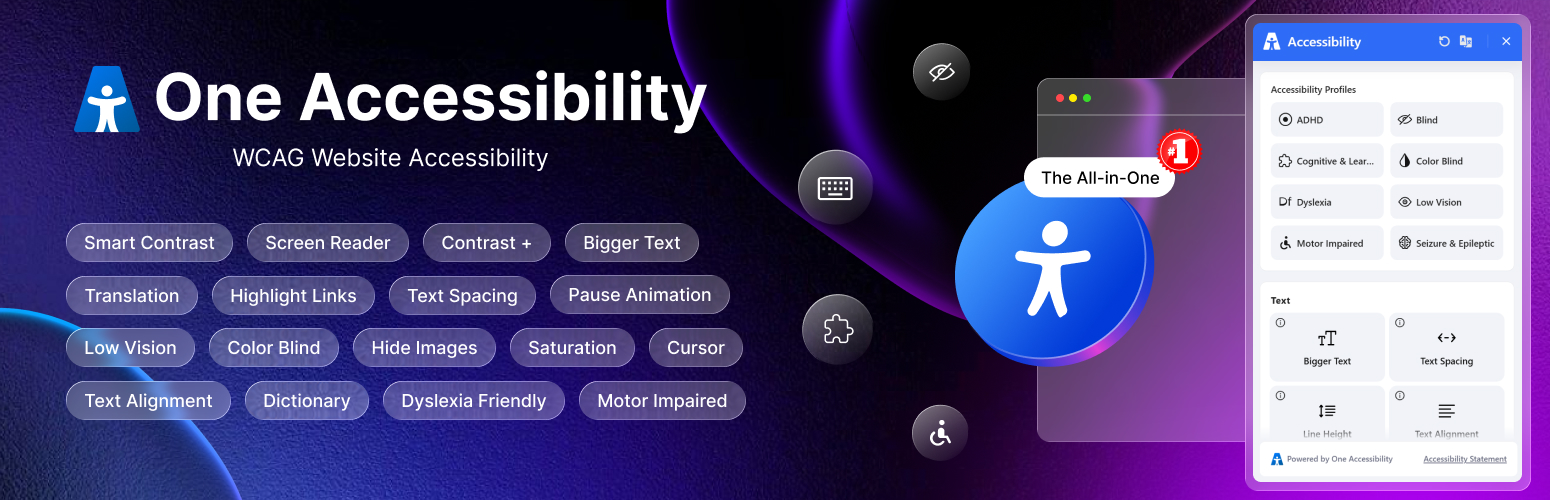
10. One Accessibility
One Accessibility is a WordPress accessibility plugin designed to make websites easier to use for people with different accessibility needs. It adds a customizable accessibility widget with tools for improving readability, navigation, contrast, keyboard access, and overall usability.
The plugin supports popular WordPress themes and page builders, including Elementor, Gutenberg, Beaver Builder, Divi Builder, and WPBakery. Website owners can also create accessibility profiles and presets based on the needs of their visitors.
Key Features
- Accessibility Widget: Provides essential accessibility tools in one place.
- Text and Font Controls: Adjust text size, spacing, line height, and readable fonts.
- Contrast Options: Offers high-contrast, dark mode, light mode, and color controls.
- Keyboard Navigation: Improves keyboard access with visible focus indicators.
- Text-to-Speech: Reads website content aloud for users who need audio support.
- Content Highlighting: Highlights links and headings for easier navigation.
- Animation Controls: Allows visitors to pause animations and hide images.
- Accessibility Profiles: Lets website owners create custom accessibility presets.
- Page Builder Support: Works with Elementor, Gutenberg, Divi, WPBakery, WooCommerce, and other popular platforms.
Pros:
- Provides a wide range of accessibility and usability tools.
- Includes keyboard navigation and text-to-speech features.
- Supports popular WordPress themes and page builders.
- Offers customizable profiles and accessibility presets.
- Suitable for websites, blogs, online stores, and business websites.
- Available in both free and premium versions.
Cons:
- A plugin alone cannot guarantee complete WCAG or ADA compliance.
- Advanced features may require the premium version.
- Some accessibility settings may need additional testing and customization.
- Website owners may still need manual fixes for theme and content-level issues.
Conclusion
Choosing the right accessibility plugin for your WordPress website is essential for creating an inclusive and user-friendly digital experience. Each plugin listed above offers unique features, ranging from simple accessibility toolbars to advanced AI-powered solutions.
If you’re looking for a quick and easy solution, lightweight plugins like One Click Accessibility or User Accessibility by POJO can be a great starting point. On the other hand, if you need more advanced features and automation, tools like AccessiBe or Accessibility Checker provide deeper insights and compliance support.
Ultimately, the best choice depends on your website’s needs, technical expertise, and budget. By implementing any of these accessibility plugins, you’re taking an important step toward improving usability, reaching a broader audience, and ensuring a more inclusive web experience
What is a WordPress accessibility plugin?
A WordPress accessibility plugin is a tool that helps make your website easier to use for people with disabilities by improving navigation, readability, and overall usability.
Why is website accessibility important?
Website accessibility ensures that all users, including those with disabilities, can access and interact with your content without barriers. It also improves SEO and user experience.
Do accessibility plugins guarantee full compliance with WCAG?
No, most plugins help improve accessibility but may not guarantee full compliance. Manual checks and improvements are often still required.
Are free accessibility plugins enough?
Free plugins are useful for basic improvements, but premium versions usually offer more advanced features and better compliance support.
Can accessibility plugins affect website performance?
Some plugins may slightly impact performance, but most modern plugins are optimized to run efficiently without noticeable slowdowns.
Which accessibility plugin is best for beginners?
Plugins like One Click Accessibility and WP Accessibility are great choices for beginners due to their simple setup and ease of use.
